This article will take you deep into Cherry Studio, a powerful AI desktop client, and explore how it empowers large language models through the MCP protocol.
Introduction
With the rapid development of large language model technology, various AI applications are emerging one after another. After trying numerous AI tools, I recently discovered a desktop client called Cherry Studio. It supports multiple LLM providers and can be used on Windows, Mac, and Linux. This tool is not only aesthetically pleasing and feature-rich but, more importantly, it supports the MCP protocol, providing powerful extension capabilities for large models.
Core Features of Cherry Studio
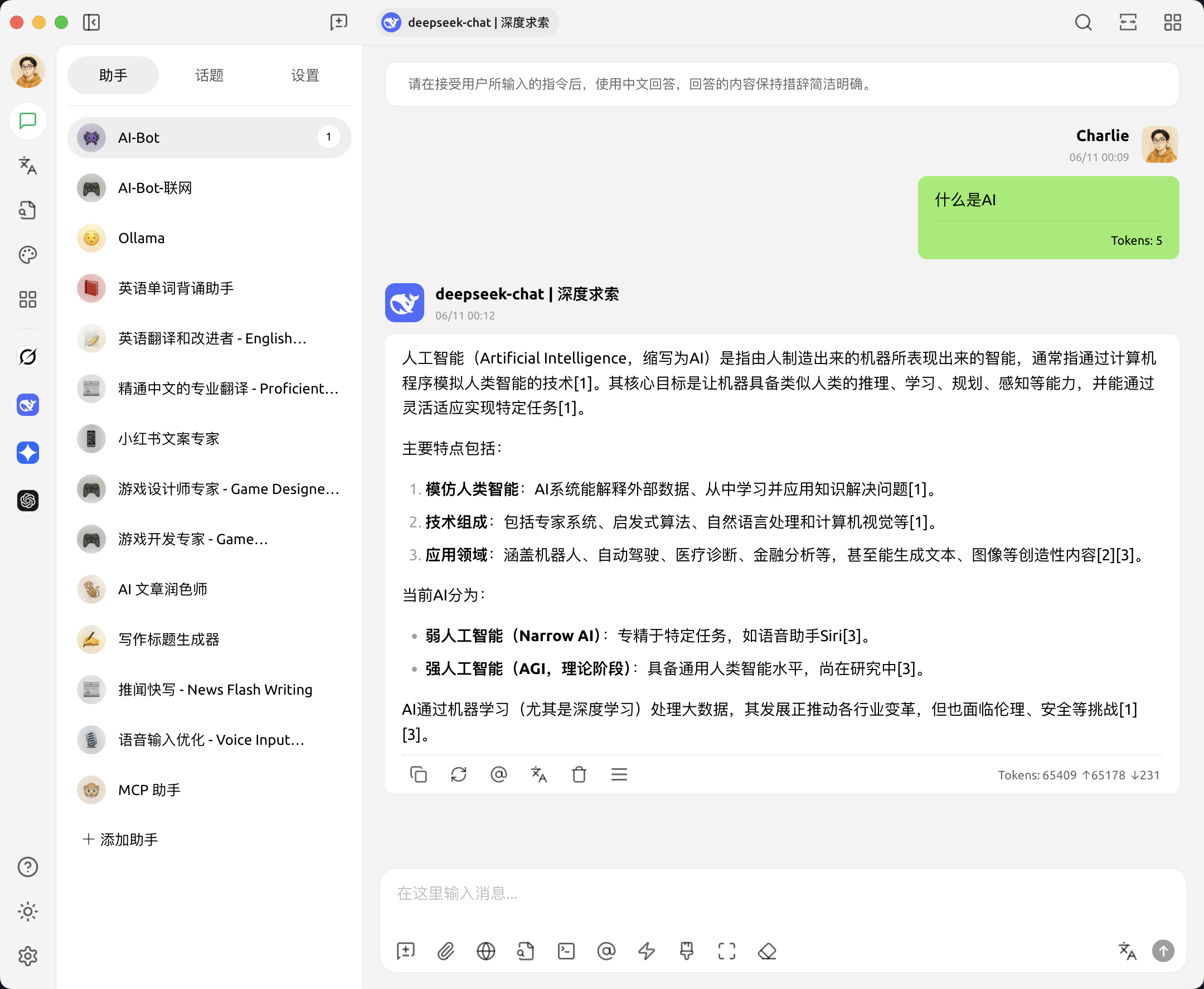
Diverse LLM Provider Support
What attracts me most about Cherry Studio is its comprehensive support for various LLM providers:
- Mainstream Cloud LLM Services: Seamless integration with leading services like OpenAI, Gemini, Anthropic, etc.
- AI Web Service Integration: Supports various online services like Claude, Peplexity, Poe, and more.
- Local Model Support: Enables local model deployment and invocation through tools like Ollama and LM Studio.
This diversified support allows me to flexibly switch to the most suitable model based on different task requirements, significantly improving work efficiency.
AI Assistants and Conversation Features
Cherry Studio offers over 300 pre-configured AI assistants, covering various fields from programming development to creative writing. More importantly, it supports custom assistant creation, allowing me to tailor exclusive AI assistants for specific needs.
The multi-model simultaneous conversation feature is particularly practical. I can ask questions to different models at the same time, compare their response quality, and thus choose the best solution.
MCP Protocol: Giving Wings to Large Models
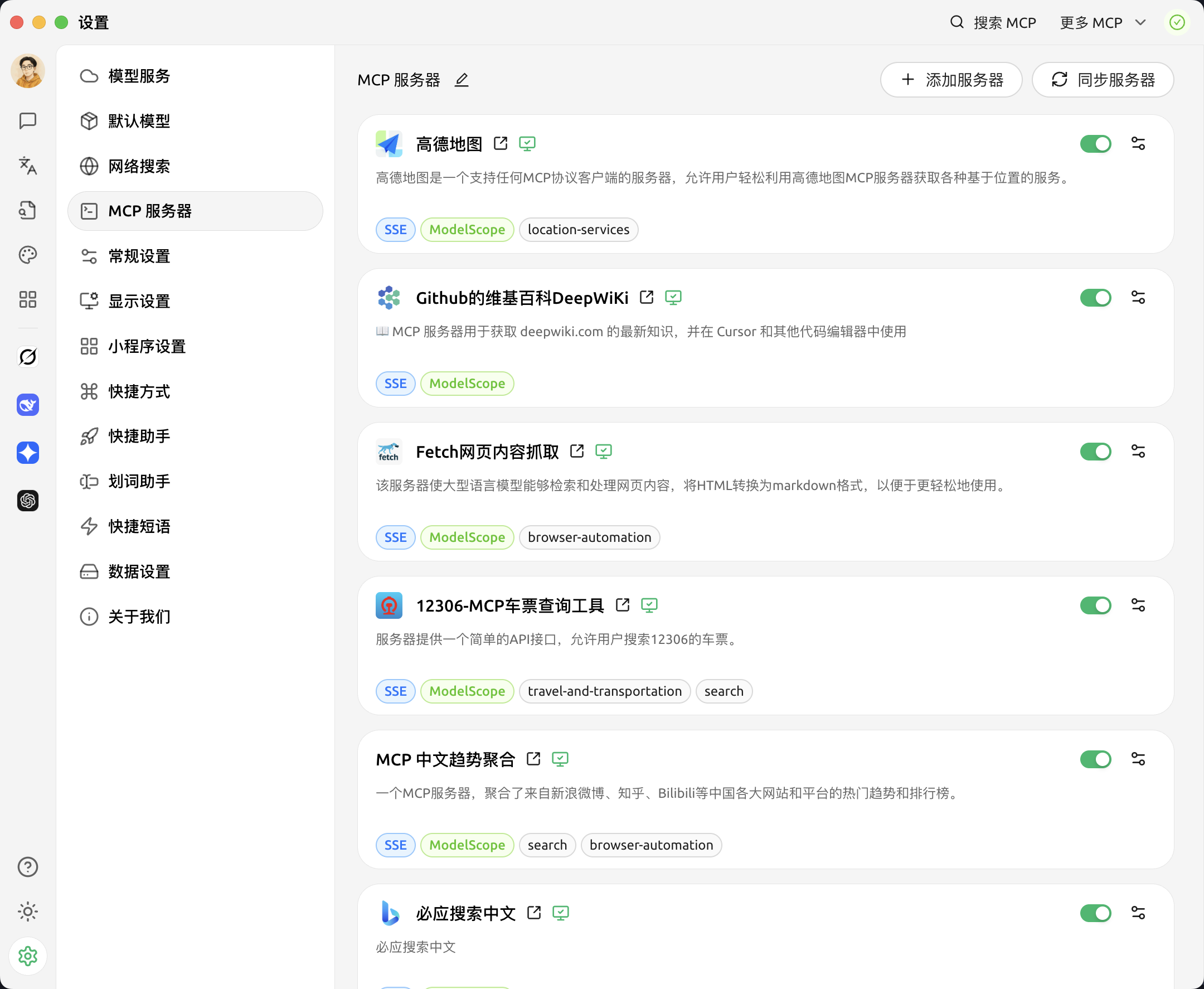
Recently, the MCP (Model Context Protocol) has been exceptionally popular in the AI field. This is an interface protocol introduced by Anthropic, acting like a “USB port” for the AI domain, connecting various data sources and tools to AI models, achieving a “plug-and-play” convenient development experience.
Cherry Studio has supported the MCP protocol since version 1.1.10, enabling large models to break through their own limitations and interact with the external world in real-time. Through MCP, AI models can:
- Access the local file system
- Scrape web content
- Call map services
- Operate Excel spreadsheets
- Control browser behavior
In practical use, I configured the fetch service to scrape web information and the filesystem service to operate local files. Even when using the free Qwen 2.5-7B-Instruct model, these tasks were successfully completed, with surprisingly good results.
Cherry Studio also integrates many practical tools, further enhancing the user experience:
- Global Search Function: Quickly locate historical conversations and content
- Topic Management System: Effectively organize and manage different subjects
- AI-Powered Translation: Convenient multilingual translation capabilities
- Drag-and-Drop Sorting: Intuitive content organization
- Mini-Program Support: Extends more functional possibilities
Additionally, Cherry Studio supports full Markdown rendering, code syntax highlighting, and Mermaid diagram visualization, making output content clearer and more readable.
User Experience and Summary
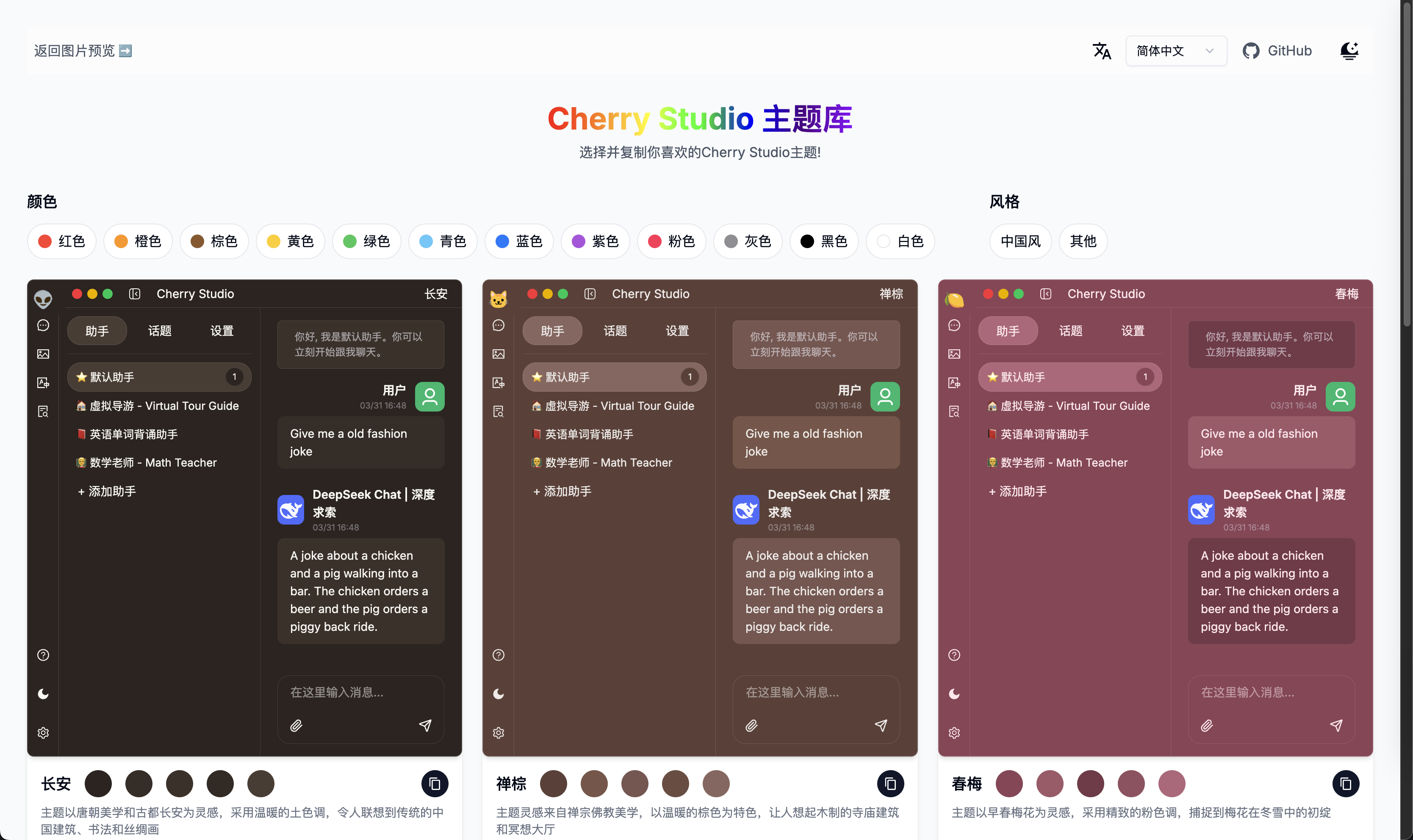
Having used Cherry Studio for a week, its stability and smoothness have left a deep impression on me. As an out-of-the-box tool, it requires no complex environment configuration and is ready to use after installation, significantly lowering the barrier to entry.
Design details like light/dark theme switching and transparent windows also reflect the development team’s attention to user experience. It’s worth mentioning that Cherry Studio offers rich theme support, and users can find more personalized choices in the Theme Library.
From an input-output perspective, the time Cherry Studio has saved me has completely covered the time spent learning to use it. Especially the support for the MCP protocol allows AI assistants to perform more practical tasks, truly becoming a capable assistant in my work.
If you are looking for a feature-rich, easy-to-use AI desktop client that supports multiple models, Cherry Studio is definitely worth a try. Its GitHub address is: https://github.com/CherryHQ/cherry-studio. Feel free to download and experience it.
💡 Thank you for reading! If you have any insights or experiences using Cherry Studio, I welcome you to share and discuss them with me.