1. Why Change Regions?
The main reasons are, of course, to save money and access more games. Let’s talk about saving money first. Similar to the pricing logic of streaming services like Netflix, subscription fees in less developed regions are lower than in developed ones. You can buy more games at a lower price—who isn’t an Argentine at heart? (laughs~
Games on Steam are sold worldwide, but due to varying government censorship and restrictions in different regions, some games may not prioritize releasing in areas with strict regulations to avoid risks and reduce costs. In regions with more lenient censorship, players can naturally enjoy new games sooner.
Latest Steam Region Change Policy in 2022
While players seek the freedom and benefits of region changes, Steam’s official company, Valve (often called V社), naturally steps in to regulate. They recently announced the latest policy on Twitter:
Account region can be changed once every 3 months. After changing regions, purchases must be made using a local payment method.
The days of being Argentine today and Russian tomorrow are gone. We must carefully consider which region to switch to, prepare a VPN and payment method, and avoid frequent region changes to prevent Steam from flagging the account as risky, which could lead to suspension.
So, How Do We Become Virtual Immigrants?
First, of course, you need to prepare a VPN and a payment method. It’s best to choose a reliable service provider with servers in the target region to make your IP appear more authentic.
After connecting to the VPN, open the Steam platform, log into your account, and click on “Account Details.” Then, find “Update Store Country/Region.”
On the page, re-enter the payment card, billing address, phone number, etc., for the selected country/region, and click “Apply Country/Region Change.”
Once the change is successful, you’ll be in the selected region. Return to the store homepage or log out and back into your Steam account to refresh the game store library.
Note: Valve does not encourage using VPNs for cross-border game purchases, as it essentially harms their revenue. Therefore, we must carefully consider the region we switch to and be prepared to use that region’s store library long-term.
Payment Methods
In the process above, if we use a credit card for payment, the billing address must match the local address used when applying for the card, which can be cumbersome.
However, Steam supports wallet and gift card payments, which do not require a specific billing address. Therefore, we recommend using these methods for payment.
Click on your account, find “Account Details,” and click “Add Funds to Your Steam Wallet” to navigate to the wallet payment page.

The wallet payment page looks like this:
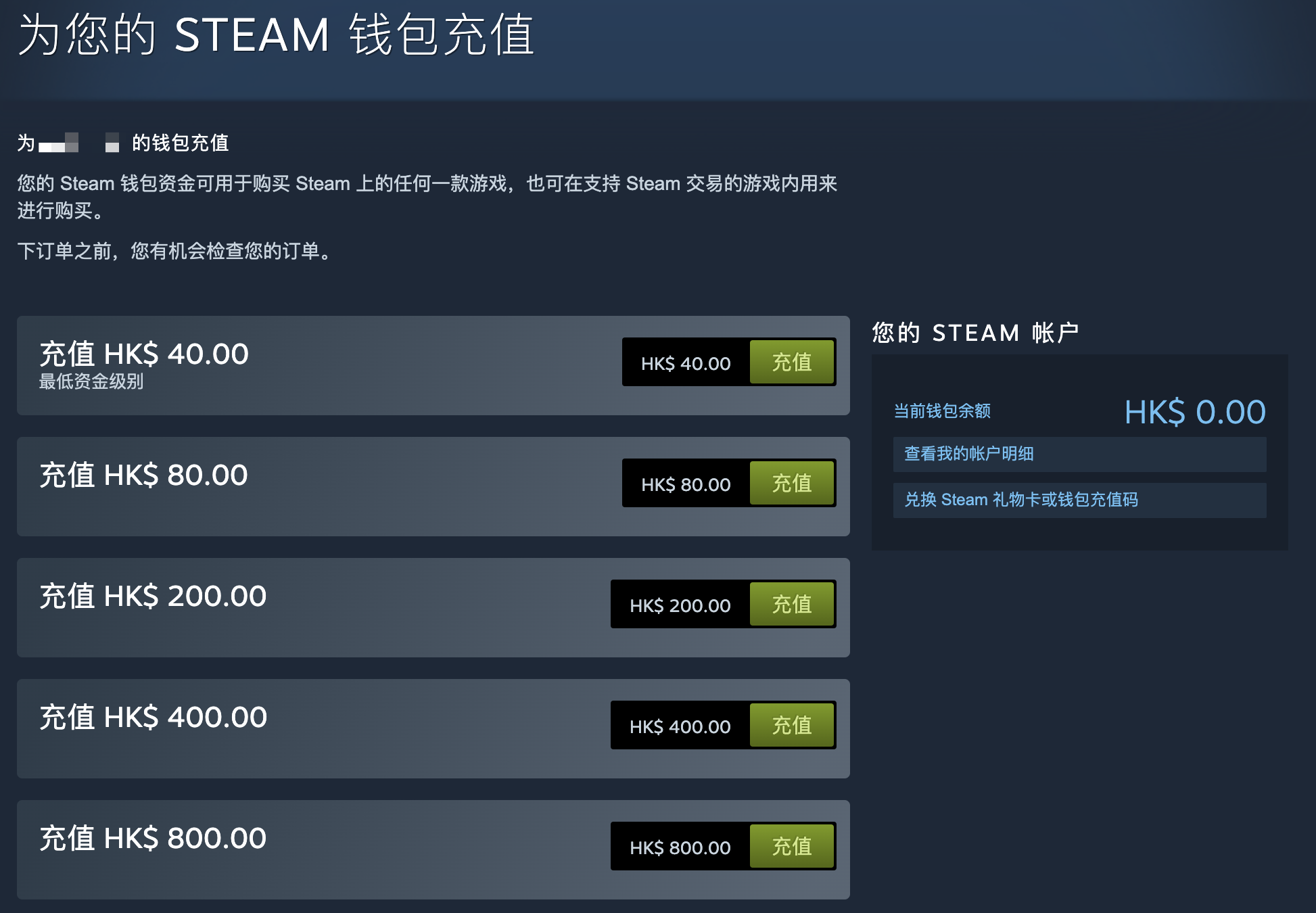
As for gift cards, you can search for them on platforms like Taobao in China. Overseas, you’ll need to find sales channels in the respective regions.
Issues When Transferring Accounts Out of the Mainland China Region
When you decide to transfer your account to another region, you may face the following issues:
-
Game Language
Will games no longer support Chinese after changing regions? Don’t worry. Game language support is determined by the languages the game itself supports and is unrelated to the store region. Before purchasing a game, you can check the store page to see if Chinese is supported.
-
What if I don’t have an overseas payment method?
Consider switching to the Hong Kong region. In addition to traditional credit cards and PayPal, the Hong Kong region also supports WeChat Pay and Alipay. However, payments will be settled in Hong Kong dollars, so keep an eye on the exchange rate.
Of course, you can also use gift cards and account balance for payment.
💡 Thank you for reading! Feel free to share this article or reach out to me via email.
The RSS address for this site has been updated. Please resubscribe, dear readers!